
Managing Participants on an Enforcement Action
Add, update, or remove agency participants assigned to an enforcement action.
Before you begin
About this task
Enforcement action supervisors can manage participants assigned to an enforcement action from their agency. Participants can be assigned roles such as Enforcement Manager or Enforcement Viewer depending on their responsibilities for the enforcement action.
Participants must belong to the Enforcement Action Group in SES before they can be assigned to an enforcement action. When a participant is added to an enforcement action, the user receives a notification that they have been assigned.
Procedure
-
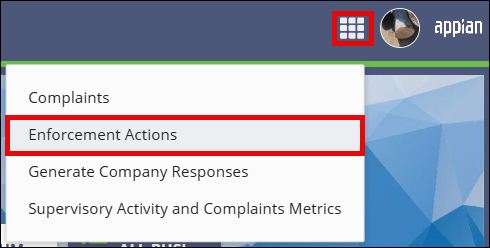
Access the Enforcement Actions area of SES.

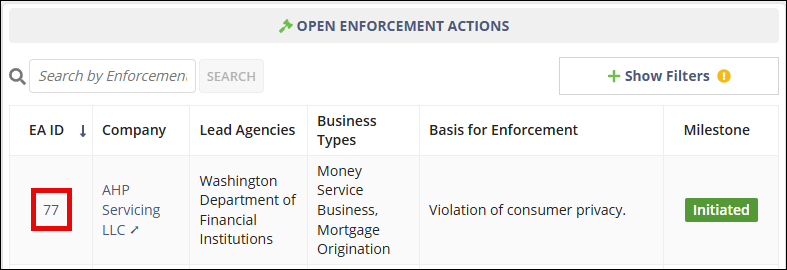
- On the Enforcement Actions homepage, locate the enforcement action in the Open Enforcement Actions section.
-
Select the EA ID link for the enforcement action you want to open.
-
Select Agencies/Participants.

- Select Add Participants.
- Search for and select the participants you want to add.
- Assign the appropriate enforcement action role for each participant.
- Select Add Participants.
Results
The selected users are added as participants on the enforcement action.