
Managing Your Agency on a Multi-state Enforcement Action
Update your agency's role as a lead or participating agency on a multi-state enforcement action.
About this task
If your agency is participating in a multi-state enforcement action, enforcement action supervisors can manage the agency’s role on the enforcement action. Your agency can be designated as either a lead agency or a participating agency.
Supervisors can also remove their agency from the enforcement action if appropriate. When an agency is removed, all participants from that agency are also removed from the enforcement action.
At least one lead agency must remain assigned to the enforcement action.
Procedure
-
Access the Enforcement Actions area of SES.
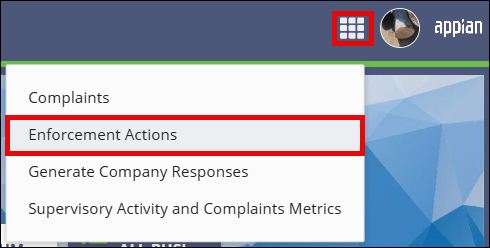

- On the Enforcement Actions homepage, locate the enforcement action in the Open Enforcement Actions section.
-
Select the EA ID link for the enforcement action you want to open.
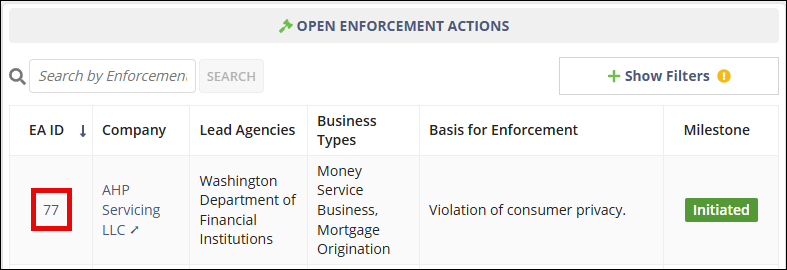
-
Select Manage Agency.
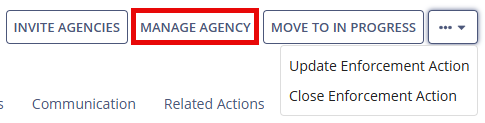
- To update your agency's role, select Update Agency Role On EA.
- Select the appropriate Agency Role for your agency.
- Select Update Agency Role.
- To remove your agency from the enforcement action, select Remove Agency From EA.
- Enter the required comments explaining why your agency is being removed.
Results
The agency role is updated or the agency is removed from the enforcement action. If an agency is removed, all participants from that agency are also removed from the enforcement action. At least one lead agency must remain assigned to the enforcement action.