
Logging in to SES for the First Time
Once you have activated your Okta® account, and the company has access to SES, one of the first steps in the system is assigning the Supervisory Activity (SA) Contact and the Complaints Contact. This step only needs to be completed one time by the account administrator.
Before you begin
Perform the following tasks if you have not already done so:
- Activating Your Okta Account for SES
- Setup multifactor authentication using either:
About this task
Note: The following process must be
completed by the recipient of the initial email from SES (i.e., the person the state agency
enrolled from the company). That person is automatically assigned the account administrator
role for the company, which can be changed once the user is logged in and other users are
added to the company account.
Procedure
-
>Log into SES via your Okta® account at
sso.nmls.org.
Note: Your username is the email address you used in setting up your account.
- Scroll down to accept the terms of use.
- On the landing page, select Begin Enrollment.
-
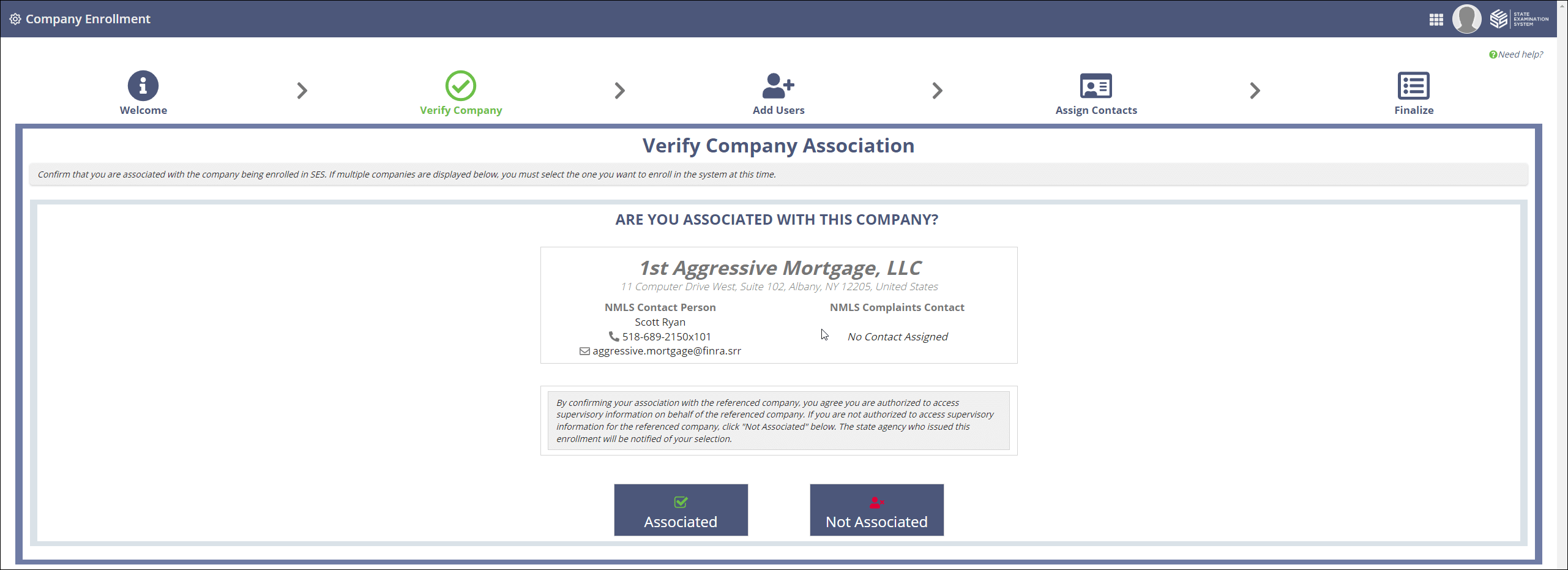
In the Verify Company section, verify your association with the
company.
-
In the Create Additional Users section,
create any additional users for your company other than yourself by selecting
Add User Information. If you do not want to create additional
users at this time, select Create Users Later.
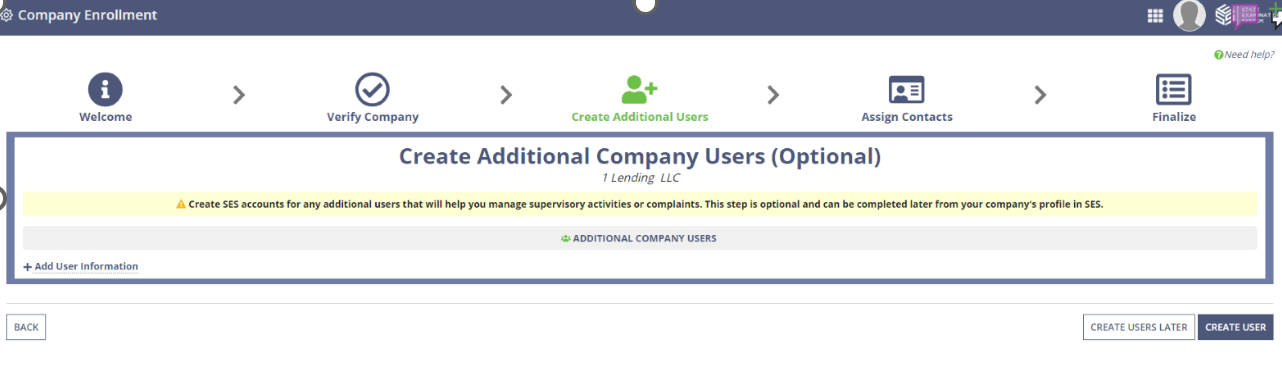 Note: If you select Create User, do not populate this screen with information about yourself. Your account was already created by the agency.
 -
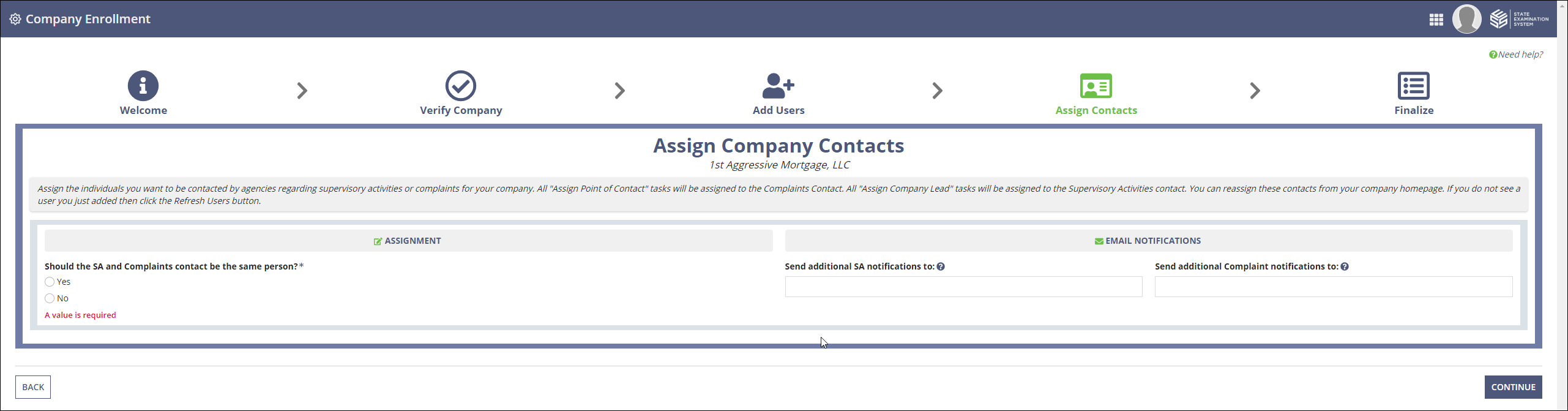
In the Assign Company Contacts section, assign company contacts
for supervisory activities and consumer complaints in the system.
- Review Enrollment Information and click Complete.
Results
After you have finished enrollment, you are notified if there are any outstanding tasks requiring action once you enter the system.