
Updating Exam Scheduling Decisions
How to update previously made exam scheduling decisions.
Before you begin
About this task
Note: To use the exam scheduling feature in SES, you must be
assigned the staff director role.
Procedure
-
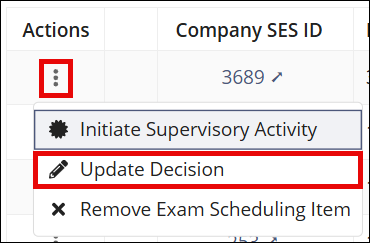
Select for the company.
- Select your desired option from the Decision list.
- Click Update Decision.